
As of July 2026 – the legal situation is evolving; this article will be updated.
GDPR-compliant web analytics means measuring visitor behaviour on your website only with a valid legal basis, processing data as sparingly as possible and keeping control over where it goes – especially with US providers such as Google Analytics. Sounds dry, but it’s simple: if you set it up properly, you lose neither data nor your visitors’ trust. Still, for many SME owners the topic is a closed book – cookie banners, consent texts, data protection authorities; it quickly feels like a bottomless pit. Yet the question “How do I measure my numbers without taking risks?” can be answered with a manageable number of decisions. That’s exactly what we’ll go through now.
Key takeaways
- Google Analytics is generally usable in 2026 – but only with consent, a clean consent setup and the EU-US Data Privacy Framework as the legal basis for transfers. The framework is under political pressure, so you also need a documented plan B.
- In Germany, the consent requirement for cookies comes from two laws at once: § 25 TDDDG governs setting the cookies, Art. 6 GDPR the subsequent data processing. For you as a site owner the consequence is the same – no consent, no tracking.
- A legally compliant consent banner makes rejecting just as easy as accepting. Anything else is not only invalid but a separate risk of legal warnings.
- There are real alternatives to Google Analytics: Plausible and etracker work without a consent banner, Matomo and Piwik PRO can be configured accordingly.
- The best protection against the shaky US legal situation isn’t the perfect tool, but a setup you can switch in days rather than weeks if it comes to it.
Can Google Analytics still be used in the EU at all?
Yes – with consent, a clean consent setup and, currently, the EU-US Data Privacy Framework as the legal basis for transferring data to the US. The framework applies, but it’s under political pressure. That’s why every GA setup in 2026 also needs a documented plan B.
The EU Commission adopted the adequacy decision on the Data Privacy Framework on 10 July 2023. Google LLC is certified under it. Data transfers to Google Analytics are therefore currently legally covered. The old transfer problem that triggered the authorities’ decisions in 2022 is solved for the moment.
Important for context: the objections raised by the data protection authorities in Austria, France and Italy in 2022 concerned the now-retired Universal Analytics. They date from the time before the DPF, when there was no valid legal basis for transfers after the Privacy Shield was struck down (Schrems II). That’s historical context – not the current state.
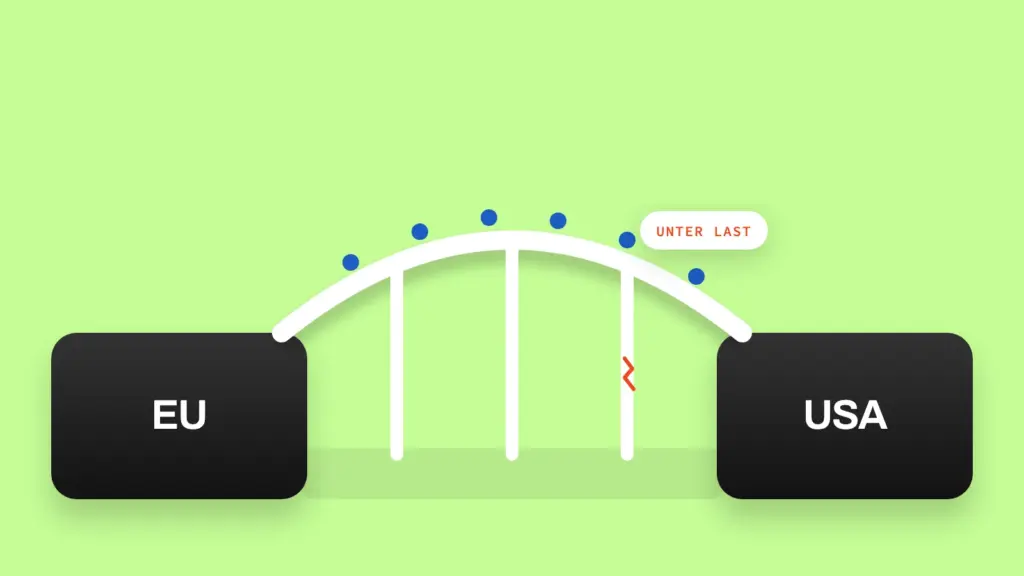
And here’s the real key message: the Data Privacy Framework is under pressure in 2026. The General Court of the European Union did dismiss a first action against the DPF in September 2025, confirming the decision for the time being. But the real uncertainty remains – coming more from politics than from case law.
The change of government in the US has weakened US oversight structures, above all the Privacy and Civil Liberties Oversight Board (PCLOB). Further proceedings against the DPF are possible – keyword “Schrems III”. The Norwegian data protection authority Datatilsynet even warns that the adequacy decision could collapse without any transition period. If you’re still relying on GA without protection at that point, you’ll be in breach of the GDPR overnight.
The practical consequence: if you use GA4, you need a documented plan B. Specifically – a tested European alternative and a migration path you can carry out in days rather than weeks if it comes to it, not one you only start looking for once the decision has already fallen.
Technically, Google has made improvements with GA4: the system truncates IP addresses automatically, without configuration – that’s standard, not an optional extra measure. GA4 no longer stores full IP addresses permanently. That doesn’t change the consent requirement, though: GA4 still sets cookies such as _ga to recognize visitors, and that still requires consent – regardless of the transfer issue.
Do you also use Google Ads? Then, since March 2024, Google Consent Mode v2 has been mandatory for anyone using Google advertising services together with GA4 in the EU. Your consent banner passes the consent status on to Google as a signal. If you run GA4 and Google Ads in parallel, a banner without a correctly implemented Consent Mode v2 is only half a setup – even if consent itself is collected properly. In practice, a data retention setting of 14 months in GA4 has become established – long enough for year-on-year comparisons without storing data unnecessarily long.
What legal basis do you need for tracking on your website?
For most analytics tools, consent is the only viable legal basis – not “legitimate interest”. It’s anchored twice: § 25 TDDDG governs setting and reading cookies or device identifiers, Art. 6(1)(a) GDPR the subsequent processing of personal data. For you as a site owner, that doesn’t change the consequence: no consent, no tracking.
The mistake many SME owners make: “I just want to see how many visitors I have – surely that’s not a problem.” As soon as cookies or device IDs make your visitors recognizable across multiple page views, that’s processing personal data – regardless of whether you know a name. What counts is the technical possibility of attribution, not your intention.
A simple rule of thumb helps. Anything that exclusively keeps the website technically functional – a shopping cart cookie, a login session cookie – doesn’t need consent. Anything that understands behaviour, controls advertising or personalizes content does. When in doubt: if the tool stores an identifier beyond the current session, assume consent is required – that protects you from the most common misjudgement in this area.
How do you set up a consent banner that doesn’t put people off?
A legally compliant consent banner offers genuine freedom of choice: “Reject” must be just as easy to reach as “Accept” – no cookie wall, no pre-ticked boxes. Still, it doesn’t have to feel like a hurdle. Wording and design determine the consent rate.

Three points make the biggest difference in practice. First: plain language instead of legalese – “We use cookies to understand which content interests you” instead of endless paragraphs. Second: a genuine balance between the accept and reject buttons. No grey “Continue without consent” links that users are meant to overlook – such dark patterns are a separate legal risk in themselves. Third: a granular choice (“Necessary only” / “Statistics” / “Marketing”), because blanket all-or-nothing banners tend to produce more rejections.
A fourth, often overlooked point: your users’ decision must be respected technically, not just visually. If someone rejects statistics cookies, the scripts must not load at all. A banner that shows “Reject” but keeps tracking in the background is not only invalid but a tangible compliance risk. Withdrawing consent must be just as easy as giving it – usually via a link in the footer, not hidden in the privacy policy. If you also use Google Ads, a correctly implemented Consent Mode v2 from the previous section is an essential part of it – otherwise even a clean banner is only half a setup.
Which analytics alternatives are genuinely GDPR-compliant?
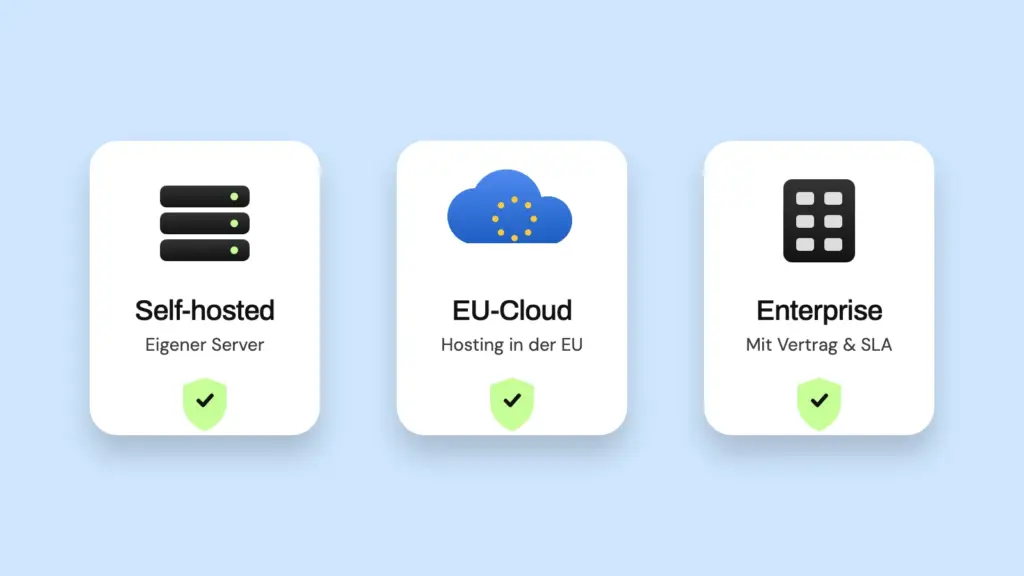
Several tools work without personal cookies from the ground up or can be run cookieless: Plausible, etracker, Matomo in cookieless mode and Piwik PRO. Which one suits you depends on how deep you want to go into the data – and whether you prefer a German, a European or a self-hosted solution.
Plausible Analytics
Plausible is an EU company, hosted entirely on European infrastructure, open source. You can host it yourself – for example on your own VPS – or use it as a cloud subscription. Cookieless by design: for pure analytics you don’t need a consent banner. The script weighs under 2.5 KB, and you’ll notice that in loading times. The feature set is deliberately lean – visitors, page views, bounce rate, top pages, sources, devices, countries. Ideal if you run a typical SME website and look at the numbers weekly rather than daily.
Matomo
Matomo is the best-known open-source alternative to Google Analytics. Self-hosted, you get full data sovereignty – free of charge, but the operational responsibility lies with you. There’s also a cloud version. Important: in cookieless mode you disable tracking cookies and enable IP anonymization – then, depending on the configuration, you don’t need consent, though counting accuracy drops slightly because cross-session tracking is lost. In its default configuration, however, Matomo sets cookies and collects personal data – then the consent requirement applies just as with GA. The feature set comes close to Google Analytics: funnels, segmentation, heatmaps, session recordings, A/B tests, even importing historical GA data. The backend is correspondingly more complex. Matomo is a good fit if you run a shop, have a marketing team or really want to dig deep.
etracker
etracker is a German provider from Hamburg, on the market since 2000, with servers exclusively in Germany. Cookieless by default – according to the provider, it can then be used without consent and is ePrivacyseal certified. Even cookieless, etracker captures almost all relevant interactions: search terms, downloads, orders. Higher plans add e-commerce reports and UX analyses. Ideal if you’re looking for a German, certified solution with more depth than Plausible.
Piwik PRO
Piwik PRO targets enterprise customers with a clear focus on EU compliance. Consent and tag managers are built in. The Core plan is free up to 500,000 hits per month. Relevant if your business has more complex compliance requirements than the typical SME.
Server-side tracking
A trend gaining importance in 2026: data collection runs via your own server instead of a browser script from the tracking provider. Plausible and Matomo offer server-side versions, as do specialized providers such as Pirsch. For most SMEs this isn’t necessary – the cookieless tools already solve the banner problem. It becomes relevant for sensitive industries or if you want to decouple completely from US providers.
Which solution suits your situation?
| Situation | Recommendation |
|---|---|
| Simple SME website, key figures are enough | Plausible (cloud or self-hosted) |
| DACH focus, certified German solution, shop features | etracker |
| Shop / marketing team / more depth needed | Matomo (self-hosted, possibly cookieless mode) |
| Enterprise / complex compliance | Piwik PRO |
| GA4 + Google Ads are a given | GA4 with consent banner + Consent Mode v2 + documented plan B |
For a rough idea, as of mid-2026, entry-level plans: Plausible Cloud starts at around €9/month, etracker at around €11/month, Matomo self-hosted is free, plus your own server costs.
The real advantage of these alternatives lies not only in the lower legal effort but in the clarity. You see what matters at a glance instead of clicking through nested reports. A tool you actually open achieves more than a powerful one that sits unused after setup.
How do you set up GDPR-compliant web analytics step by step?
The practical route can be worked through in five steps – regardless of which tool you choose in the end.
- Take stock: check which tracking scripts are currently running on your website – usually there are more than you think (Google Analytics, Facebook Pixel, embedded maps and social media widgets all count).
- Clarify the legal basis: decide for each tool whether it’s strictly necessary (then usually consent-free) or performs tracking (then consent is required).
- Choose your tool: continue with Google Analytics with the full compliance effort – including a documented plan B in case the Data Privacy Framework collapses – or switch straight to a privacy-friendly alternative, depending on how much depth you need versus how much effort you can invest.
- Set up consent management: integrate a tool that only loads scripts technically after consent – not just hiding them visually, but actually blocking them until consent is given. If you use Google Ads, Consent Mode v2 is an essential part of this step.
- Update your privacy policy: every tool used, every purpose, every retention period must be named specifically – generic boilerplate with no reference to the tools actually used won’t stand up to scrutiny.
Once you’ve worked through these five steps properly, you only need to repeat them selectively for new tools. Just a little system – and you get a repeatable process instead of an annual state of emergency. It also makes sense not to treat the process as a one-off project but as a fixed appointment: a short check once or twice a year is usually enough to catch newly added scripts in good time – for example from a new marketing tool or an embedded booking system – instead of only discovering them at the next external audit.
Why is GDPR-compliant analytics a conversion advantage, not just an obligation?
A thoughtful, honest approach to user data has a direct effect on trust – and trust is the prerequisite for enquiries, not just a compliance goal. Visitors who experience a fair, understandable consent dialogue instead of clicking their way through an aggressive cookie wall subconsciously associate this with the rest of your presence.
Conversely: a banner with hidden reject options or a privacy policy full of boilerplate signals to your visitors that you don’t care about them, only about collecting data. Data protection is therefore not a brake on your website’s performance. Done right, it’s part of it.
Frequently asked questions about GDPR-compliant web analytics
Do I need consent for a simple visitor counter too?
As soon as the tool sets cookies or recognizes visitors across sessions, yes. Pure aggregated server log analyses without individual recognition are usually consent-free – but most common analytics tools don’t work that way.
Is an “Accept cookies” notice without a reject option enough?
No. Without a genuine, equivalent option to reject, consent has not been validly given. Tracking then runs without a valid legal basis.
Do I have to get rid of Google Analytics completely?
Not necessarily. With consent, a clean consent setup and the Data Privacy Framework as the legal basis for transfers, GA4 is currently usable. But the framework is under pressure – so a tested plan B is worthwhile even if you keep GA4 for now.
What happens if the Data Privacy Framework collapses?
Transfers to US providers then lose their legal basis without any transition period. If you’ve already tested a European alternative, you migrate in days rather than weeks. Without preparation, you risk suddenly tracking without a valid legal basis.
How long does switching to a compliant setup take?
The pure tool switch usually takes a few hours. The bigger effort lies in a proper inventory of all tracking scripts and an updated privacy policy.
Conclusion
GDPR-compliant web analytics isn’t a one-off legal project. It’s a manageable series of repeatable decisions: clarify the legal basis, choose a tool that fits your available effort, implement consent cleanly at a technical level, keep documentation up to date. The biggest mistake isn’t choosing the wrong tool – the biggest mistake is not making a conscious decision at all and simply letting a setup run that was configured years ago.
In 2026, a second point comes on top: the legal situation around data transfers to the US is in flux, and the Data Privacy Framework could collapse. So the real protection isn’t the one right tool decision today. It’s a setup you can switch in days if it comes to it – because you already know and have tested an alternative.
If you’d rather not dig through your tracking scripts yourself: dock7 takes care of the inventory and sets up a clean analytics setup with as few banners as possible – without you having to wade through Consent Mode documentation.
Note: this article does not replace individual legal advice. If you have specific doubts about your own situation, it’s best to consult a data protection specialist.