Zapier, Make and n8n are the three best-known platforms for letting tasks run automatically between different programs as soon as a specific event occurs. The difference isn’t in the basic idea but in the pricing model, flexibility and the technical know-how you need to bring along. Zapier is the easiest way in but quickly gets expensive as you scale. Make sits in the middle in terms of price and technology. n8n gives you the most control – if you’re willing to dig a little deeper or host it yourself.
At dock7, I use n8n myself, self-hosted on a Hetzner VPS. Even so, n8n isn’t automatically the right answer for you. Let’s look at what you should really base your decision on.
Key takeaways
- Zapier pays off for one to three simple automations: the trigger is free, but every action step counts as a task – if you need more, it quickly gets expensive.
- Make sits in the middle in terms of price and technology: operation-based billing scales more cheaply, and the reasoning panel makes AI agent decisions traceable step by step.
- n8n gives you the most control: the Community Edition is free when self-hosted, you only pay for the server – and you decide freely which AI model gets to see your data.
- All three tools have built-in AI agents, but AI steps use up regular tasks in Zapier, while n8n even allows local models without any external provider.
- No tool can rescue an unclear process: clarify your workflow first, before you decide.
What fundamentally distinguishes Zapier, Make and n8n?
All three tools connect apps via triggers and actions – the difference lies in the user interface, pricing logic and hosting. A trigger is the event that starts the automation, such as a new email or a new entry in a spreadsheet. The action is what happens automatically afterwards, for example a message in Slack or a new entry in the CRM.
Zapier is list-based and the easiest to use: you choose a trigger, then an action, done. Make works visually with flowcharts you can arrange freely – this pays off as soon as branches and conditions come into play. n8n is also a visual flow editor, but one you can run in the cloud or host entirely yourself, including your own code steps in JavaScript or Python if the ready-made building blocks aren’t enough.
The pricing models differ more than most comparison articles admit. Zapier counts tasks (every successful action), Make counts credits (every operation), n8n counts executions – once per complete workflow run, no matter how many steps it has. That makes n8n cheaper for complex workflows, because a workflow with ten action steps costs ten tasks in Zapier but only one execution in n8n. There are also differences in integration depth: Zapier covers the widest range with over 8,000 apps, Make brings a good 3,000, n8n somewhat fewer ready-made integrations – but compensates with HTTP requests and code nodes that let you connect practically any API yourself.
| Tool | Entry price (paid) | Billing | Self-hosting possible |
|---|---|---|---|
| Zapier | from $19.99/month (Professional, billed annually) | per task | No |
| Make | from approx. $9/month (Core) | per operation/credit | No |
| n8n | from €20/month (Starter Cloud) | per execution | Yes, Community Edition free |
Prices as of July 2026, according to the providers’ official pricing pages – check the current terms and features before deciding, as plans and features change regularly.
When is Zapier the right choice?
Zapier pays off if you need a few simple automations and don’t want to invest time in getting to grips with a tool. With over 8,000 supported apps, Zapier has the widest integration coverage on the market – for niche tools, you’re most likely to find a ready-made connection there.
The catch: task-based pricing scales poorly. A workflow with five action steps uses five tasks per run – the trigger itself is free, but every action after it counts. As your business grows and automates more processes, costs rise disproportionately. A concrete example: if a workflow with five actions runs twice a day, that’s around 300 tasks a month – already close to the free limit of 100 tasks, and you end up on a paid plan.
For an individual or a very small team with two or three simple automations, Zapier is still often the most pragmatic choice – simply because you can start straight away without learning a new tool. Classic examples: new contact form entries land automatically in the CRM, or a new invoice in Google Drive triggers a notification in the team chat.
When does Make pay off?
Make is the middle ground for anyone who wants to work visually and needs more control over data processing than Zapier offers. The flow view shows you the complete automation path at a glance, including branches and error handling – in Zapier it stays rather linear.
On price, Make performs better than Zapier in most setups, because operation-based billing scales more cheaply than pure tasks. The learning curve is a little steeper: you need to understand how data structures flow between modules before your first scenarios run reliably. It feels unfamiliar at first – but after building your first two or three scenarios, it quickly becomes routine.
For SMEs that need multi-step processes with branching logic – such as lead scoring with several conditions or an invoice check that goes through different approval paths depending on the amount – Make is often the more economical choice than Zapier, without you having to hire technical staff right away. The built-in error handling is another plus: you can see directly in the flow where a scenario failed instead of searching through a log list.
When do you need n8n?
n8n pays off as soon as data protection, costs at high volume or maximum customizability are decisive for you. Execution-based billing makes complex workflows cheap, and the Community Edition is completely free as a self-hosted solution – you only pay for the server.
But that’s also where the effort lies: self-hosting means you’re responsible for server updates, backups and security yourself, or you need someone who takes care of it. Cost-wise it’s still attractive – a small VPS to run it costs a low single-digit euro amount per month, well below any cloud plan. At dock7, this is part of my business model: all internal automations run self-hosted on a Hetzner VPS. For a business without technical resources, this can be exactly the point where an external partner pays off more than building it yourself.
If you take GDPR compliance seriously, you also benefit from the fact that n8n cloud data is stored in Frankfurt and self-hosting gives you full control over the server location. Especially for industries with high data protection requirements – law firms, medical practices, consultancies with sensitive client data – this is often the decisive point, not the price.
What AI features do the three tools offer?
All three platforms have built AI firmly into their products in 2025/2026 – but at different levels. Zapier relies on AI agents and an assistant that builds workflows from natural language. Make brings AI agents directly into the visual canvas, with traceable decisions. n8n treats AI as a building block within the workflow itself – including the option of connecting your own or local models.
In Zapier, you describe what should happen to the Copilot in plain language, and it builds the draft Zap for you – a real accelerator for getting started, even though the feature is still in beta. Then there are Zapier Agents: autonomous AI assistants that work through tasks independently across your connected apps. The AI features are included in the paid plans, with a basic model included; you connect more powerful models via your own API key. Just note: AI steps in Zaps use up tasks like any other action – so AI-heavy workflows drive up your task bill.
At the start of 2026, Make relaunched its AI Agents: you build, test and debug agents directly in the same canvas as your scenarios. The biggest plus is transparency – in the reasoning panel you see every decision the agent makes step by step, instead of trusting a black box. For SMEs that want to introduce AI into their processes cautiously, exactly this traceability is often more important than sheer functionality.
n8n goes deepest: here AI isn’t an add-on product but a node type like any other. You combine agent nodes with memory, vector stores and any tools – and choose freely which language model runs behind them, from the big providers to locally hosted models. For processes where data protection is critical, this is the decisive difference: you don’t just decide where the workflow runs, but also which AI model gets to see your data at all. The price, as always with n8n: more time to get to grips with it.
How do you make the decision for your business?
The decision comes down to three questions: how many workflows do you need and how complex are they, how much technical know-how is available in the business, and how important is data control to you? No tool is objectively better – each strikes a different compromise between simplicity, price and control.
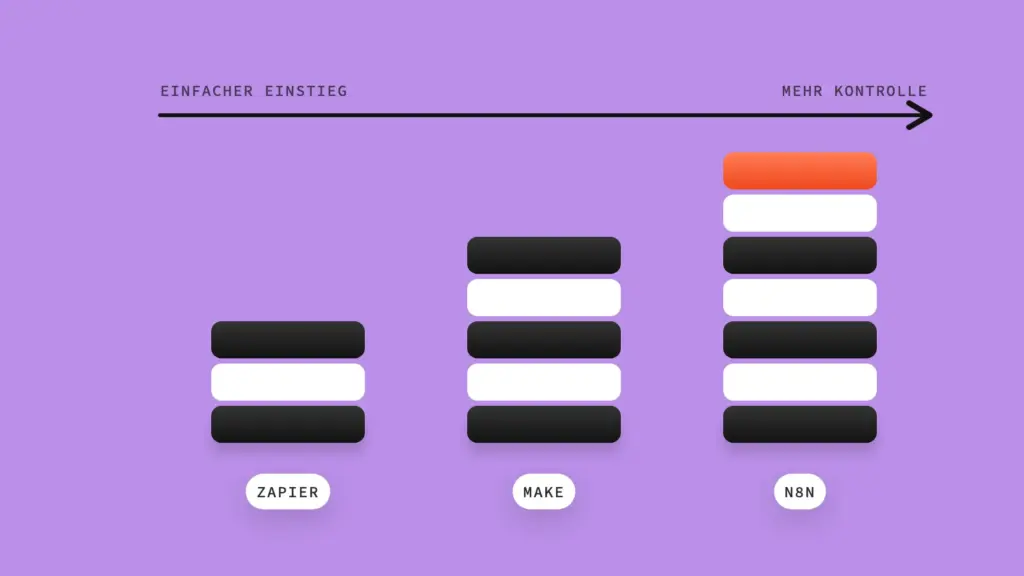
As a rough rule of thumb: one to three simple automations without technical staff → Zapier. Multi-step processes with branching logic, moderate technical interest → Make. High automation volume, GDPR requirements, the desire to control AI models yourself or to self-host long term → n8n. And as a general rule: no tool can rescue an unclear process. Before you choose one of the three, first clarify which workflow you’re actually automating – otherwise you’re just optimizing how fast the chaos runs.
Frequently asked questions
Can I switch from Zapier or Make to n8n later?
Yes, technically without any problem – the logic can be transferred because all three work on the same trigger-action principle. The effort lies in rebuilding the workflows, not in a data migration in the classic sense.
Can n8n be used without programming skills?
Yes, the flow editor works with drag and drop just like Make. You only need coding skills if you want to go beyond the standard nodes – for getting started, no-code is entirely sufficient.
Do I need my own API account with OpenAI or Anthropic for AI automations?
It depends on the tool. In Zapier, a basic model is already included in the paid plans; you connect more powerful models via your own API key. Make lets you run agents via Make’s own AI provider or connect your own provider on paid plans. With n8n, you usually need your own API key – or you run a local model straight away, without any external provider.
What if I use several tools at the same time?
This happens more often in practice than you’d think – for example Zapier for simple team notifications and n8n for processes where data protection is critical. Not ideal for keeping an overview, but sometimes more economical than forcing everything into one tool that wasn’t built for it.
Conclusion
Zapier, Make and n8n solve the same basic problem with different compromises between simplicity, price and control. For a quick start without technical effort, Zapier is the most pragmatic; for multi-step processes with better value for money, Make pays off; and if you want to keep costs under control as you scale, control your own choice of AI model or self-host in a GDPR-compliant way, you’ll end up with n8n. Put your process down on paper first before you choose a tool – then the choice almost makes itself. If you’re not sure which of your processes is worth automating at all: that’s exactly where I start with my clients – get in touch and we’ll look at your workflows together.