Conversion rate optimization (CRO) means changing your website so that more visitors take a desired action – an enquiry, a purchase, a booking. The catch: the problem usually isn’t the design but the structure. Does your visitor find the right information at the right point to make a decision? Yet many businesses without their own marketing team reach for a new design first – and then wonder why the number of enquiries doesn’t change.
Key takeaways
- The main reason a website doesn’t convert is almost never the design – it’s an unclear structure: order, call to action, dead ends.
- Design still has a real effect: research shows users form a first judgement about a website in around 50 milliseconds. Many base their trust on the design.
- You can check four things right away without a redesign: order, a single call to action per page, one clear goal per subpage, short click paths to important information.
- The 5-second test – ideally done on mobile first – shows you within minutes where visitors drop off.
- Whether a change works is visible from a simple tally sheet: counting enquiries before and after is enough; an analytics tool is the icing on the cake.
What does conversion actually mean for a small website?
A conversion is any action that brings your visitor closer to deciding in your favour. A completed contact form, a call, a newsletter sign-up, a purchase – these are typical examples. For most small business websites, it isn’t one single big action but rather a small chain of them.
Important: the conversion that matters to you depends on your business model. A trades business wants enquiries. An online shop wants purchases. A consultancy wants discovery calls. Before you change anything, ask yourself: which one action is actually the most important for my business? And does my current page structure even lead my visitor there? This clarity sets the benchmark for everything else. Without a clearly defined target action, you can’t judge in the end whether a change has genuinely improved something or just looks different.
Why isn’t good design enough on its own?
Well-made design decisions have a positive effect on your conversion. Clear contrast, thoughtful imagery, a tidy look – all of this makes things easier to understand and builds trust. So design is anything but a side issue.
Research confirms this. According to a widely cited study by Carleton University (Lindgaard et al., 2006), users judge a website in around 50 milliseconds. And according to the Stanford Web Credibility research, visitors base their judgement of a company’s trustworthiness largely on its design.
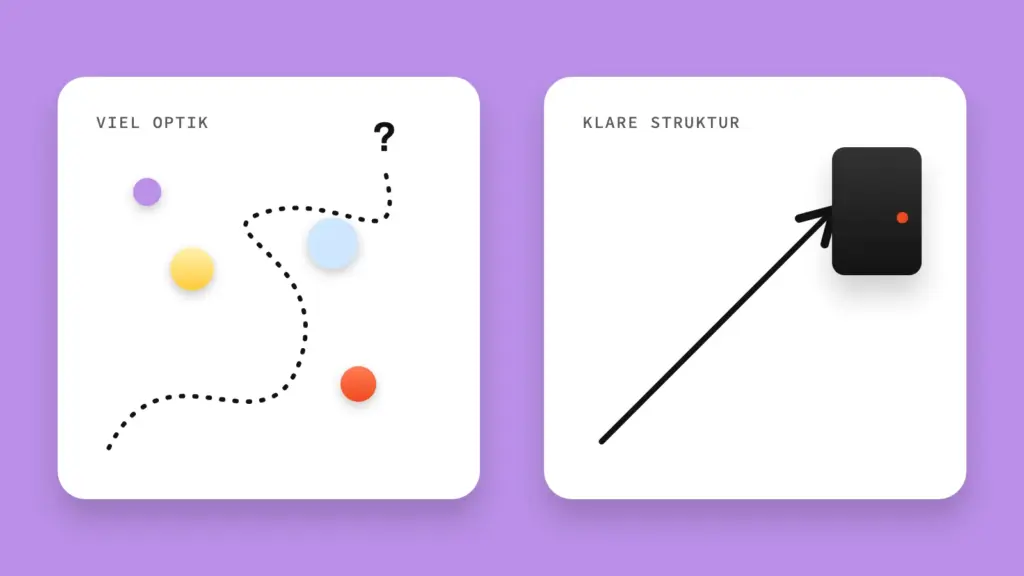
Even so, the biggest lever for your conversion lies elsewhere: in the information architecture. Design determines how your page comes across in the first milliseconds. Structure determines whether, seconds or minutes later, your visitor knows what to do next. And they make that second decision regardless of how well the page is designed.
Imagine two websites with identical, high-quality design. On one, every page leads logically to a clear next action. On the other, five equally large buttons compete for attention. Both make the same good first impression. But the first one will convert – because it has a decision architecture and the other doesn’t.
This also explains why many businesses still invest in complete redesigns. An outdated design subconsciously colours how your offer is perceived. And a redesign is often the occasion to realign colours, imagery and tone of voice across all channels – perfectly sensible as a trust and branding measure. It just doesn’t replace working on the structure. It should take it into account.
How can you tell your website is losing visitors?
Typical signs: lots of visitors but few enquiries. Or users who leave straight after the first screen. These patterns often show up as soon as you click through your own site with the eyes of a first-time visitor.
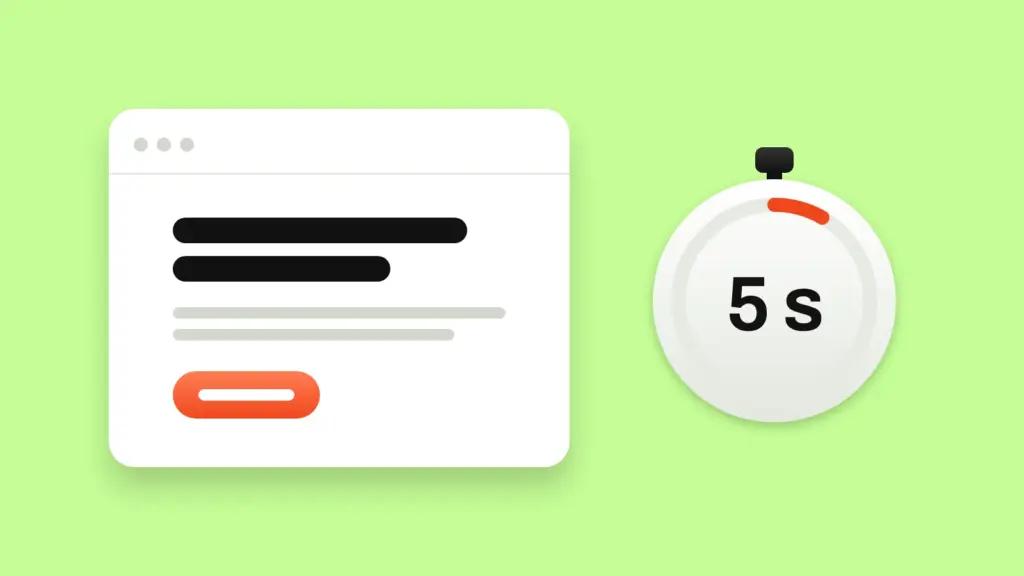
A proven tool for this is the so-called 5-second test. Open your homepage without knowing what comes next. Time how long it takes until you understand what the business offers and what you, as a visitor, should do now. Do the test on your smartphone first. On a small screen, structural problems such as competing buttons usually stand out first – regardless of whether your audience tends to browse on mobile or desktop. If you need more than a few seconds to get your bearings, some of your visitors feel the same.
Also ask someone who has never seen your website to take the same test – colleagues, family, a fellow business owner. People who already know your offer automatically overlook gaps in the structure. They simply fill in the missing knowledge in their heads. If you already use a form or analytics tool, a look at form abandonment rates completes the picture. But it isn’t essential – the 5-second test with a few test users is a perfectly good first indicator.
What is information architecture – and why does it decide conversion?
Information architecture is the order and grouping of content on a page. What does your visitor see first, what follows, where does each section lead? It determines whether a decision builds up logically for your visitor – or whether they have to piece it together themselves.
A good structure answers, in this order: what you offer, for whom, with what benefit – and what I should do now. If one of these steps is missing or in the wrong place, your visitor has to fill in the gaps themselves. That’s exactly where attention stops. Website visitors rarely have the patience to piece together their own structure.
What can you change right away without touching the design?
Four things often make a big difference without a redesign: the order of sections on your homepage, a single central call to action per page, a clear next goal for every subpage and short click paths to important information. These four adjustments often have more impact on your conversion than any new layout.
In practice, this means:
- Check each page for more than one equally prominent call to action – and reduce it to one.
- Check whether the benefit for your visitor comes before the details about your business, not after.
- Check whether every page actually has a goal. Pages without a clear next action are dead ends where visitors drop off – even if the content itself is right.
- Check whether important information (price range, process, contact options) is only reachable after several clicks. Every additional click is another opportunity to leave.
You can usually work through these four points in an afternoon – without changing a single image or colour. That’s exactly why structure is the cheaper first lever: it costs no design budget, just attention.
How do you know whether a change really works?
Count your target action – enquiries, calls, bookings – over a comparable period before and after the change. For most small businesses, a simple tally sheet is enough. No analytics setup needed.
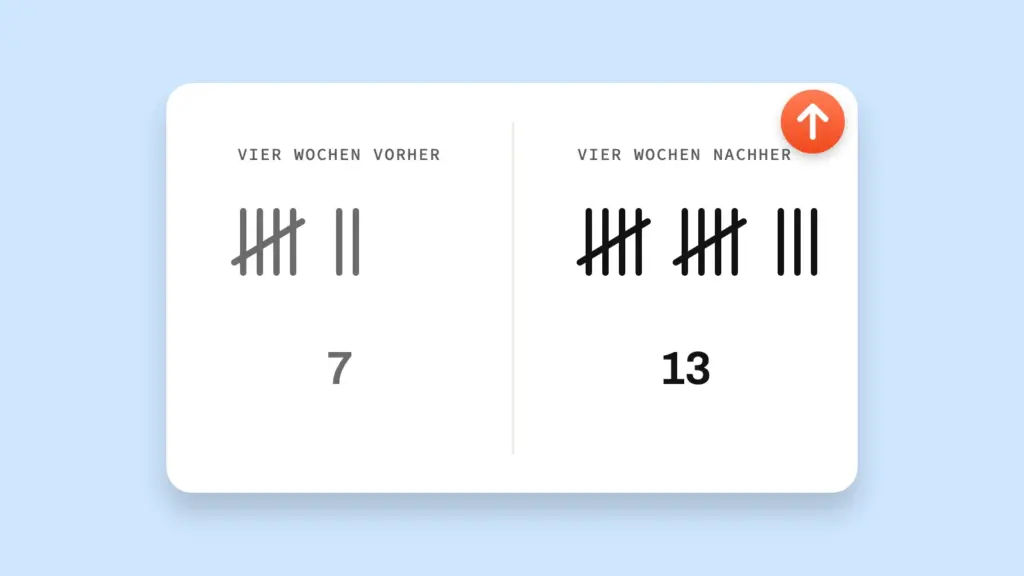
What matters is a fair comparison: the same time span, for example four weeks before and four weeks after. And ideally without parallel changes such as a new campaign that distorts the result. Note how many enquiries or calls come in during both periods. It doesn’t replace an A/B testing tool, but it’s enough to see whether your structural change actually brings more enquiries.
Want to see exactly where things get stuck? A web analytics tool such as Google Analytics or a privacy-friendly alternative like Matomo or Plausible can help. It shows you which page gets the most visitors, where they drop off and whether a form is abandoned. With Google Analytics, you need legally compliant visitor consent via a cookie banner before any data is collected. This very data – which page gets the most traffic – is also the basis for prioritizing in the next section. Still, the tally sheet remains the recommended first step. The analytics tool is the icing on the cake.
How do you tackle this if you don’t have time for a complete website overhaul?
You don’t have to rework the entire website at once. Start with the page that combines the most traffic with the most important action – usually your homepage or a central offer or service page. From there, work your way through in order of importance.
A sensible order: first the page with the highest number of visitors. Then the page right before the desired action – for example the service page before the contact form. Only after that, pages with less weight such as the blog or about page. That way you improve things first where most visitors actually are – instead of spending time on pages hardly anyone sees.
Frequently asked questions about conversion optimization for SMEs
Do I need a big marketing budget for conversion optimization?
No. The most effective first steps cost no extra budget – just time and attention. Clarify the order, define one clear call to action per page, remove dead ends. This can usually be done in an afternoon – without spending a single euro on new design or advertising. Only once the structure is right does additional budget for tests or a redesign really pay off.
Is conversion optimization the same as A/B testing?
No, A/B tests are just one tool within CRO, not the starting point. They compare two versions of a page and check which converts better. For most small business websites, though, clarifying the structure achieves more than testing individual colours or wording. Simply because there often isn’t yet a reliable structure worth testing.
Do I have to change my design to improve conversion?
Not necessarily. Design and structure work together, but they aren’t the same thing. The conversion of an existing website can often be improved noticeably without touching the design – just by correcting the order, the calls to action and the dead ends. That often makes this route faster and cheaper than a complete redesign.
Why do so many SMEs invest in completely new designs at all?
Because design has a real effect on trust and how you come across. A tidy, contemporary look creates a good first impression and signals credibility – that’s no small thing. For conversion itself, though, design isn’t the biggest lever; that remains the structure. A redesign is therefore worthwhile as long as you don’t lose sight of the structure.
Conclusion
A website that doesn’t convert rarely has a design problem first and foremost – usually it has a structure problem. Used well, design can improve trust and how you come across. But the bigger and cheaper lever for your conversion lies in the information architecture: a clear order, one unambiguous call to action per page, no dead ends.
So before you invest in a new layout, it’s worth taking an honest look at your structure. Ideally with the 5-second test and a few weeks of comparing numbers. If you’re unsure where exactly your website is losing visitors, a short, targeted structure check is often the fastest first step – before any redesign. In a no-obligation discovery call we can usually get a rough picture. Let’s get started!