A website concept is a written plan that sets out a website’s goal, target audience, message, pages and content before the first draft. It consists of seven building blocks that build on one another. If one is missing, you’ll notice at the latest when the finished site looks good but achieves nothing.
Key points at a glance
- A website concept answers seven questions: goal and measurement, ideal customers, buying triggers and objections, message, page structure, wireframes and content plan.
- The order matters. The concept starts with the goal and ends with the question of who delivers which content by when.
- Gaps in the concept only show once the site is live: as the wrong enquiries, visitors bouncing or endless rounds of feedback.
- Each building block produces something tangible, from the goal statement to the content table. Design only starts once these results are in place.
- You already have the most important building blocks: the words your customers use in enquiries and conversations to describe their problem.
What goes into a website concept?
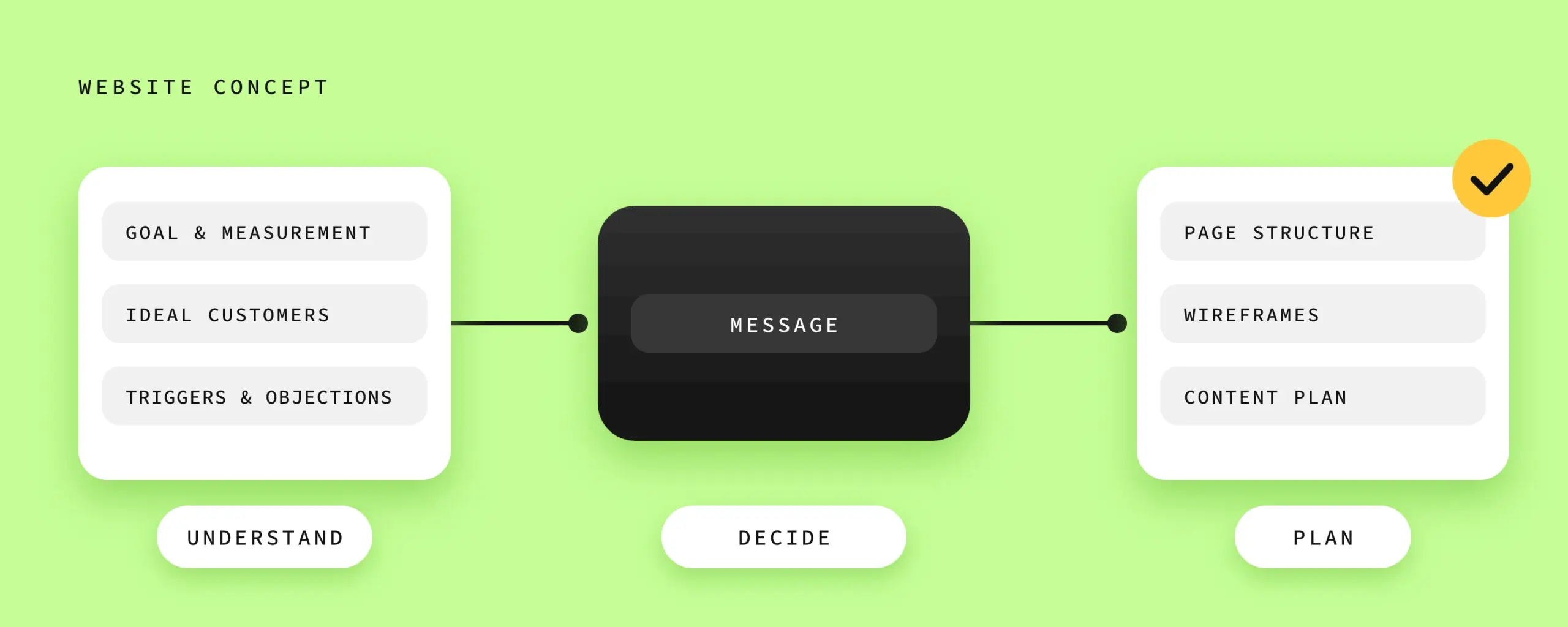
A website concept contains seven building blocks: a measurable goal, your ideal customers, their buying triggers and objections, positioning and message, a page structure, wireframes with real headlines and a content plan. Together they answer what the website should do for your business.
The building blocks fall into three steps: first you understand what the site should achieve and for whom. Then you decide what to tell these people. Finally, you plan pages and material.
| Building block | Guiding question | What you have in hand afterwards |
|---|---|---|
| Goal & measurement plan | What should the website achieve for your business, and how will you know? | A goal statement and two or three metrics |
| Ideal customers | Who exactly should the site convince? | One concrete scene per ideal customer group |
| Buying triggers & objections | What brings these people to enquire, and what holds them back? | A list in your customers’ own words |
| Positioning & message | What do you solve for whom, in one sentence? | The message statement that becomes the main headline |
| Page structure | Which pages do you need, and what should happen on each? | A list of pages with a goal and next step for each |
| Wireframes with real headlines | Does the message work on the page? | Sketches of the key pages with real headings |
| Content plan | Who delivers which content by when? | A table with content, owner and deadline |
To show how the building blocks fit together, one fictional example runs through all seven chapters: a small tax firm that mainly works with trade businesses.
How do you set the goal and measurement plan?
Define the goal of your website in one sentence: which enquiries it should bring in for which offer. Then choose two or three numbers you track from day one, such as enquiries, calls and booked appointments. If you’re planning a relaunch, track the same numbers on the old site beforehand so you have a baseline.
“More enquiries” leaves open who the enquiries should come from and for which offer. For our example firm, a workable goal sounds like this: the website should lead owners of trade businesses to an introductory meeting. So the firm counts every contact that comes through the website and notes whether it comes from a trade business.
Picture two months. In the first, ten enquiries come in and eight are a good fit. In the second, thirty come in, but only two fit. In the statistics, the second month looks better. For the firm, it was the worse one.
You can find out how to set up measurement in a GDPR-compliant way in our article “GDPR-compliant web analytics for SMEs”.
How do you find out who your website should convince?
You’ll find your ideal customers among the clients you make the biggest difference for and enjoy working with most. Look at the situation they were in when they went looking for you, and the words they used to describe their problem. From that, write a short scene showing a typical ideal customer in exactly that situation.
The owner of an electrical contracting business with twelve staff sorts receipts on Sundays because he’s out on building sites during the week. All he really wants is his Sunday back. That’s how the example firm describes its ideal customer.
With this picture in mind, you can pick up on exactly that Sunday on your site.
If you offer several services, there are often several groups of ideal customers. Then decide which group the homepage should address first and which comes in via its own service pages.
What brings your ideal customers to enquire, and what holds them back?
What brings your ideal customers to enquire is usually an event that suddenly makes an old problem urgent. What holds them back is a doubt they can’t find an answer to on your site. These two points are called buying triggers and objections. If your website addresses both, visitors recognise their situation and get answers before they leave.
Here’s how to build this list: take your last ten enquiries and notes from conversations. Mark every sentence in which a customer says why they’re getting in touch right now, and every sentence in which they hesitate. Copy the wording exactly.
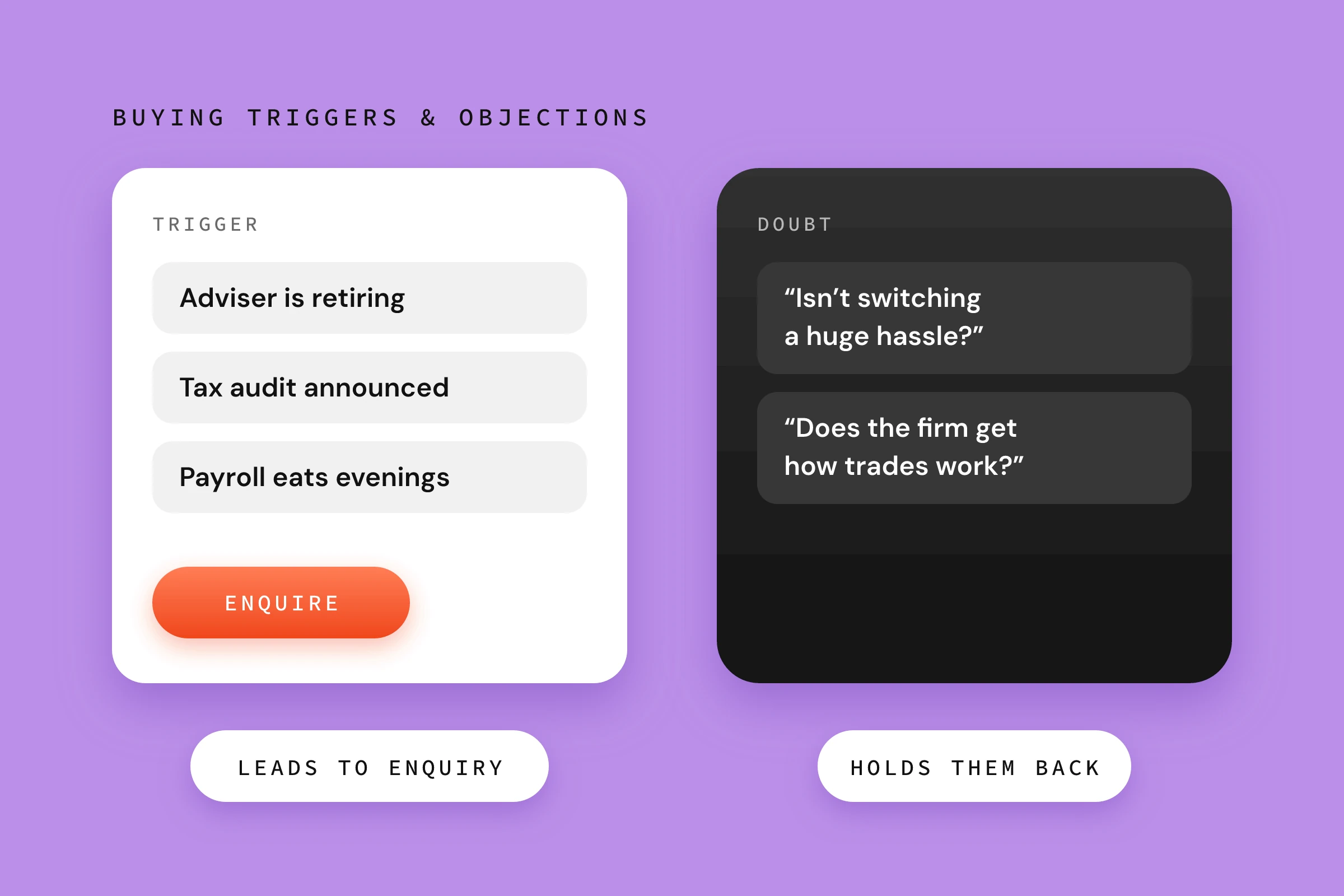
For the example firm, this turns up triggers like these: the current tax adviser is retiring. A tax audit has been announced. The business has grown, and payroll suddenly eats up every evening.
The owner’s objections sound very practical: “Isn’t switching a huge hassle?” or “Does the firm understand how a trade business works?”. If the answers are on the site, for example in a description of the process or an FAQ, he doesn’t need to ask first. How trust signals and social proof reduce doubts is covered in “Psychology of conversion: 10 principles that make the difference”.
How do you put your positioning and message into words?
Phrase your message as one sentence that says which problem you solve for whom, and with what result. This sentence sums up your positioning: what you stand for and what sets you apart from other providers. It becomes the basis of your main headline, and you measure every other text on the website against it.
A framework helps for the first draft: “I help [ideal customers] with [problem] so that [result].” It lets you check whether all three parts are clear. The example firm fills it in like this: “We help trade businesses with bookkeeping and tax so that the owner has his evenings back for the business.” Later this becomes a shorter main headline, such as “Tax for trade businesses”.
Next comes the swap test. Read your sentence as if it were on a competitor’s website. Would it work just as well there? “Your partner for tax and finance” could be written by any firm. The sentence about trade businesses only fits one.
How do you plan your website’s page structure?
Plan the page structure from your goal: every page gets a clear audience, a question it answers and a next step it leads to. Home, Services, About and Contact are only a starting point. If you can’t assign these three things to a page, merge it with another or cut it.
For the example firm, it looks like this:
| Page | For whom | Which question it answers | Next step |
|---|---|---|---|
| Home | Owners of trade businesses | Is this the right firm for my business? | Introductory meeting |
| Ongoing bookkeeping | Businesses where receipts pile up | How much work will the firm take off my hands? | Introductory meeting |
| Payroll | Businesses that are currently hiring | How much hassle is it to switch? | Introductory meeting |
The two core services each get their own page because they serve different triggers. The firm mentions secondary services on these two pages. They rarely need a page of their own, and if they do, it doesn’t necessarily have to be linked in the main menu. In practice, secondary services are also the typical case where we consistently cut pages. The thinking on the client side is to show everything they offer and sell. Understandable at first glance.
The structure also includes the path to an enquiry. Decide where this next step sits on each page and how easy it is. For the service pages, also check which terms your customers use to search for you, so the pages can be found. How a single page should be built is described in “Landing page structure: the elements that really convert”.
Without a next step, visitors read a page to the end, nod and close the tab instead of doing what you hoped they would.
Why do wireframes need real headlines?
Real headlines turn a wireframe into a test of your message. A wireframe is a simplified sketch of a page that shows the layout and order of content, still without colours and images. If it contains the real headings, you can see early on whether the page convinces in this order and whether every text fits its space.
Many layouts are created with “lorem ipsum”, a dummy text that looks like Latin. In a 2017 video by the Nielsen Norman Group, Page Laubheimer points out the catch. Placeholders are handy at the start, but can cause problems when the real content turns out to be different.
The real headline may then be twice as long as the dummy text, the paragraph may not fit the box, or there may be no space planned for the most important objection. The feedback changes too. With dummy text, everyone talks about boxes and spacing: “The button should be higher up.” With real headlines, they talk about the message: “A tradesperson would never say it like that.”
If the real texts only arrive after the design and don’t fit the space planned for them, they either get squeezed into the layout or the layout gets rebuilt. Neither is a good idea.

For wireframes, grey boxes and real sentences are enough.
What goes into a content plan for your website?
A content plan lists every piece of content the website needs: texts, images, references and testimonials. For each item, it sets out who delivers it and by when. This turns the concept into a task list with names and deadlines.
In my experience, it’s often the texts that cause delays. While commitment is almost always high at the start, with clients keen to contribute, booking photo shoots and supplying images, writing the texts is often underestimated. Good copy takes time and writing experience. If either is missing, deadlines are quickly missed. Often more than once.
If you’re writing the texts yourself, block out fixed time in your calendar. It’s best to ask for testimonials early so that approvals arrive in time.
From the wireframes, you now know exactly which content goes on which page. The content plan turns this into a table: page, content, owner, deadline, status. Often this is the moment it becomes clear how much material is still missing.
For the example firm, it might look like this: the team photo hasn’t been taken yet, and the text on payroll is with the head of the firm.
Without a concrete plan, everyone ends up waiting for everyone else. The design is signed off, the launch date is set, and the content is missing. That quickly leads to frustration on all sides.
Can you create a website concept yourself?
You can do part of the groundwork well yourself, but the whole concept rarely succeeds on your own. You can work out the goal, ideal customers and objections from your conversation notes. From the message onwards, it gets harder, because that’s where you have to decide what to leave out, and you lack the distance from your own offer to do that.
You know your offer too well. What’s obvious to you is easily missing from the site. You describe your service in technical terms that feel normal to you rather than in your customers’ words. When you read your own texts, your mind fills in the gaps automatically, so you don’t notice them. On top of that, cutting things is hard. In the page structure you want to show everything you offer, and in the message you don’t want to exclude anyone. An outside view makes these gaps and compromises visible. You’ll find more on this in our article “Website not bringing in enquiries?”.
Preparing the first three building blocks yourself is still worthwhile: a goal statement, an ideal customer scene and a list of triggers and objections from your conversation notes. With this material, any strategy work moves forward faster, whether you carry on alone or with support.
AI can help you here, for example by sorting collected customer quotes by theme or suggesting headline variations. Which ideal customers you address and what you promise them is your decision. AI is a tool that can take a lot of work off your hands. But it can’t replace your personal experience, and that is exactly what makes the difference when it comes to speaking to the right people.
In our web design projects, we make these decisions together with you before any design work starts. We call this strategy phase “Clear Course”. It’s included in both web design packages. In the Focus package, it produces the message, page structure and a wireframe of the homepage; in the Growth package, all the building blocks in this article. The concept belongs to you, even if you implement it with someone else. You can find out more on our Web design & development page.
Frequently asked questions about website concepts
How long does it take to create a website concept?
For a small website, a concept usually takes a few weeks, mainly because of the coordination between everyone involved. In our strategy phase, it takes up to three weeks. Your own effort is up to 45 minutes for a questionnaire and material, plus a workshop of up to 90 minutes in the Focus package or up to three hours in the Growth package. More services and target groups extend the work.
What’s the difference between a website concept and a brief?
A brief describes what you want from a project: occasion, scope, framework and expectations. A website concept answers the questions behind it, namely goal, ideal customers, message, structure and content, and records the decisions in writing. Often the brief is the starting point and the concept is the result of working it through together.
Do design, technology and budget belong in a website concept?
Only as a framework. The concept defines what the website should say and achieve. This leads to requirements for technology and features, such as appointment booking or multiple languages. You should know your budget and timeline beforehand because they limit the scope. Colours, fonts and image style only come later, in the design.
Do I need a concept for a small website too?
Yes, especially then. A small website has few pages and therefore little room to make up for unclear messages. The concept is shorter, but the questions stay the same: who do you want to reach, with what message, and what should the visitor do next? For a five-page website, a well-prepared workshop is often enough.
Do I need a new concept before a relaunch?
In most cases, yes, because a relaunch is the chance to review your goal, target group and message. You also clarify what the old website already achieves: which pages bring in enquiries, which are easy to find and which URLs need redirecting. Otherwise you’ll lose what has worked so far when you start again.
Conclusion
Before you discuss a layout or choose a colour, it should be clear who your website should reach and what it should trigger in these people. A website concept captures this in seven building blocks and in a fixed order. Start where the concept starts: write down your goal in one sentence today. Then note from your last ten enquiries the words customers use to describe their problem. That’s the raw material for building blocks two to four. If you’d like to know where your current site stands first, our free website check will help.
Sources
- Laubheimer, P. (2017): A Downside of Fake Copy in UI Prototypes. Nielsen Norman Group, video.